Learning ATmega32U4 Microcontroller from Scratch: MCU Comparison
yunying Release time:2024-01-05 Page View:295
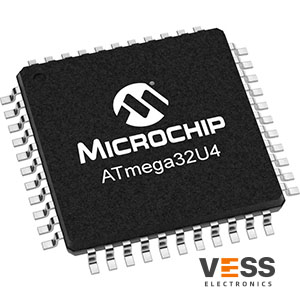
ATmega16U4/ATmega32U4 8-bit Microcontroller with 16/32K bytes of ISP Flash and USB Controller
Learning ATmega32U4 Microcontroller from Scratch: A Comprehensive Guide, this post will give you the information you may like atmega32u4 Datasheet, Pinout, schematic
Introduction
The ATmega32U4 microcontroller is a powerful and versatile device widely used in various embedded systems and projects. Whether you're a hobbyist, student, or professional, this article aims to provide a comprehensive guide on how to learn and work with the ATmega32U4 microcontroller from scratch.
By understanding its architecture, programming, and applications, you can unlock a world of possibilities for building your own electronic projects.
ATmega32U4 Description
What is Arduino ATmega32u4?
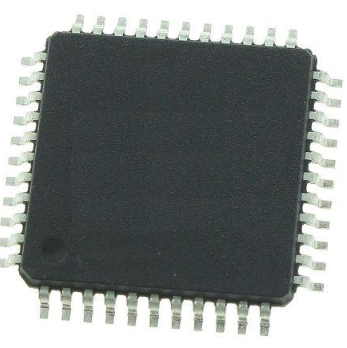
The ATmega32U4 is a microcontroller chip. It belongs to the AVR family of microcontrollers and is part of the 8-bit AVR series. The ATmega32U4 is notable for its built-in USB 2.0 controller, which allows it to communicate directly with USB devices without the need for an external USB-to-serial converter.
The microcontroller features 32KB of flash memory for program storage and 2.5KB of SRAM for data storage. It also has 1KB of EEPROM, which can be used for non-volatile storage of data. The ATmega32U4 operates at a clock frequency of up to 16 MHz and supports a wide range of communication protocols, including SPI (Serial Peripheral Interface), I2C (Inter-Integrated Circuit), and UART (Universal Asynchronous Receiver-Transmitter).
ATmega32U4 Features
• It features High Performance, Low Power AVR® 8-Bit Microcontroller
• It features Advanced RISC Architecture
– 135 Powerful Instructions – Most Single Clock Cycle Execution
– 32 x 8 General Purpose Working Registers
– Fully Static Operation
– Up to 16 MIPS Throughput at 16MHz
– On-Chip 2-cycle Multiplier
• It features Non-volatile Program and Data Memories
– 16/32KB of In-System Self-Programmable Flash
– 1.25/2.5KB Internal SRAM
– 512Bytes/1KB Internal EEPROM
– Write/Erase Cycles: 10,000 Flash/100,000 EEPROM
– Data retention: 20 years at 85°C/ 100 years at 25°C(1)
– Optional Boot Code Section with Independent Lock Bits
• It features JTAG (IEEE® std. 1149.1 compliant) Interface
• It features USB 2.0 Full-speed/Low Speed Device Module with Interrupt on Transfer Completion
• It features I/O and Packages
– All I/O combine CMOS outputs and LVTTL inputs
– 26 Programmable I/O Lines
– 44-lead TQFP Package, 10x10mm
– 44-lead QFN Package, 7x7mm
• It features Operating Voltages
– 2.7 - 5.5V
• It features Operating temperature
– Industrial (-40°C to +85°C)
• It features Maximum Frequency
– 8MHz at 2.7V - Industrial range
– 16MHz at 4.5V - Industrial range
ATmega32U4 Pinout
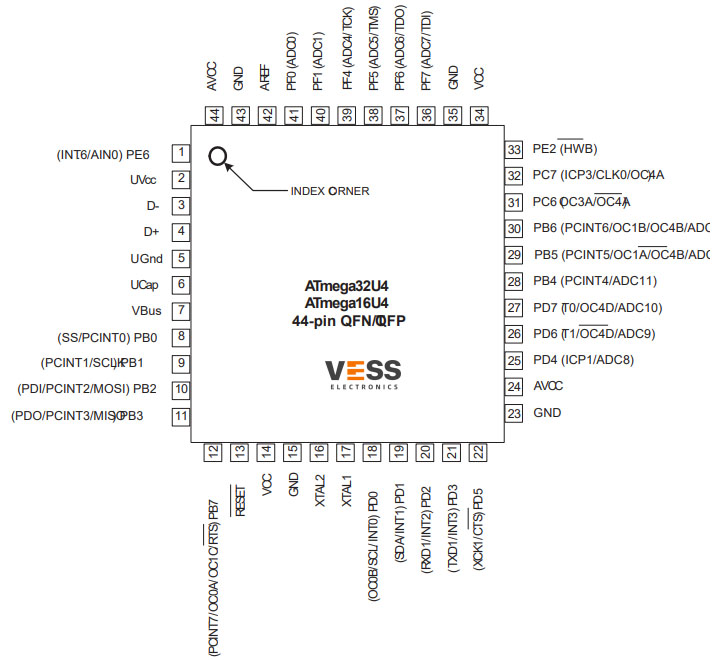
ATmega32U4 CAD-Model
Symbol
Footprint
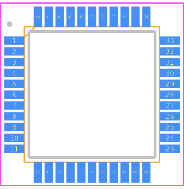
CAD-Model
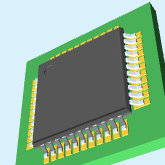
ATmega32U4 Package Dimension
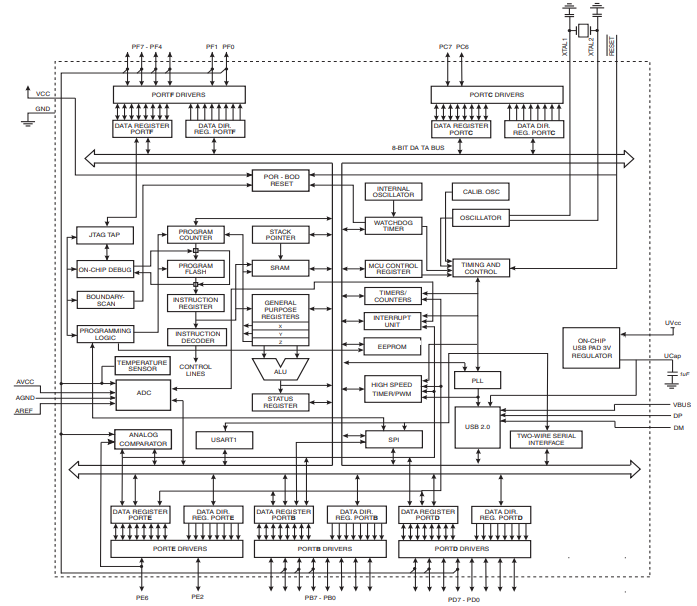
ATmega32U4 Functional Block Diagram
ATmega32U4 Alternatives
ATmega32U4 Applications
How to use ATmega32U4
1. Understanding the Basics:
To begin your journey with the ATmega32U4, it's essential to grasp the fundamental concepts of microcontrollers. Familiarize yourself with the architecture, including registers, pins, timers, and interrupts. Gain knowledge about the integrated development environment (IDE) and the programming language, usually C/C++, used to interact with the microcontroller.
2. Setting Up the Development Environment:
Next, set up your development environment by installing the necessary software tools. Start by downloading and installing the Arduino IDE—a popular choice for beginners due to its simplicity and extensive community support. Configure the IDE to work with the ATmega32U4 microcontroller, selecting the correct board and port settings.
3. Learning the Syntax and Structure:
To program the ATmega32U4, you need to learn the syntax and structure of the programming language. Understand the basic concepts of variables, data types, control structures (if-else, loops), functions, and libraries. Explore the Arduino reference documentation and online tutorials for practical examples and code snippets.
4. Interfacing with Peripherals:
The ATmega32U4 microcontroller offers various peripherals, such as digital I/O pins, analog-to-digital converters (ADCs), timers, serial communication interfaces (UART, SPI, I2C), and more. Learn how to interface these peripherals to interact with external components like sensors, actuators, and displays. Experiment with simple projects to consolidate your understanding.
5. Advanced Techniques and Projects:
Once you have a solid grasp of the basics, dive into more advanced topics and projects. Explore concepts like interrupt handling, PWM (Pulse Width Modulation), sleep modes, and low-power optimization. Undertake exciting projects such as building a home automation system, a robot, or a data acquisition device, leveraging the capabilities of the ATmega32U4 microcontroller.
6. Community Engagement and Resources:
Join online communities, forums, and social media groups dedicated to microcontroller enthusiasts. Engage with like-minded individuals, ask questions, and share your projects. The Arduino community, in particular, provides a vast collection of libraries, project ideas, and troubleshooting resources that can greatly assist your learning journey.
7. Continuous Learning and Experimentation:
Learning a microcontroller is an ongoing process. Stay updated with the latest developments in the field and explore new projects and applications. Experiment with different sensors, communication protocols, and coding techniques to broaden your skills and knowledge.
Specifications
- Manufacturer :
- Microchip Technology
- Product Category :
- Microcontrollers
- Connectivity :
- I²C, SPI, UART/USART, USB
- Core Processor :
- AVR
- Core Size :
- 8-Bit
- Data Converters :
- A/D 12x10b
- EEPROM Size :
- 1K x 8
- Mounting Type :
- Surface Mount
- Number of I/O :
- 26
- Operating Temperature :
- -40°C ~ 85°C (TA)
- Oscillator Type :
- Internal
- Package / Case :
- 44-TQFP
- Peripherals :
- Brown-out Detect/Reset, POR, PWM, WDT
- Product Status :
- Active
- Program Memory Size :
- 32KB (16K x 16)
- Program Memory Type :
- FLASH
- RAM Size :
- 2.5K x 8
- Speed :
- 16MHz
- Supplier Device Package :
- 44-TQFP (10x10)
- Voltage - Supply (Vcc/Vdd) :
- 2.7V ~ 5.5V
Datasheets
- Datasheets
- ATMEGA32U4-AU
Product comparison
-
ImagePart NumberManufacturerToleranceVoltage - RatedProduct StatusPackage / CaseProduct CategoryView Compare
-
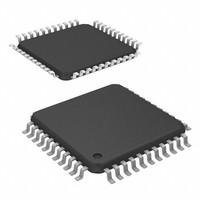
-
-
Active
44-TQFP
Microcontrollers
-
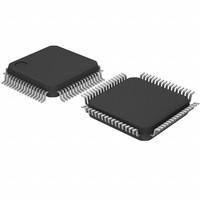
-
-
Active
64-LQFP
Microcontrollers
-
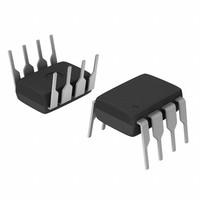
-
-
Active
-
Microcontrollers
-
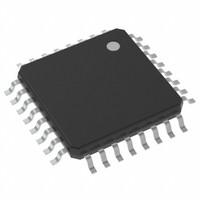
-
-
Active
32-TQFP
Microcontrollers
- Share this post
-


Frequently Asked Questions
What is ATmega32U4?
The ATMega32U4 is low-power 8-bit AVR RISC-based microcontroller featuring 32KB self-programming flash program memory, 2.5KB SRAM, 1KB EEPROM, USB 2.0 full-speed/low speed device, 12-channel 10-bit A/D-converter, and JTAG interface for on-chip-debug.
What is the difference between atmega328p and ATmega32U4?
Since the Arduino ATmega 32u4 controls its USB connection, this makes it a more flexible option compared to 328P boards. The ATmega 32u4 can be easily programmed to function as a mouse, MIDI controller, or a keyboard when connected to a computer. These capabilities aren't possible with 328P boards.
How big is ATMega32U4?
Width: 22.7m../0.89in. Height: 5.78mm/0.23in. Weight: 5.14g/0.18oz.
What is the difference between ATmega16U4 and ATmega32U4 ?
The main difference between the ATmega16U4 and ATmega32U4 microcontrollers lies in their memory capacity. The ATmega16U4 has 16KB of Flash memory, while the ATmega32U4 has 32KB. Flash memory is used to store the program code that runs on the microcontroller.
How to DIY Keyboard from Scratch - with QMK and ATmega32U4
Related Articles

2N5551 vs BC547 BJTs Comparison
LM3914 vs LM3915 vs LM3916 vs LM3917 How They Work?
Top 12 electronic component distributors 2024
TPS5450DDAR Datasheet, Pinout, Specification
C945 Transistor Datasheet:C1815 VS C945 Comparison
Lithium Battery Charger TP4056: Datasheet, Schematic, Price
TDA7265 Audio Amplifier:How To Connect And Test?
1n4007 vs 1n5399 Rectifier Diode: Pinout, Datasheet, Specifications
SN74HC595N vs SN74HC574N Shift Register Datasheet,Specs
H6 vs H7 vs H8 vs H9 Battery Difference and Choosing Guide

-
1,000+Daily Order Quantity
-
2,500,000+Alternative Parts
-
2,200+Worldwide Manufacturers
-
10,000 ㎡In-stock Warehouse