How to Fix an iPhone Flashlight That Isn’t Working
Hi, hi my dear friends. Have you ever met a situation that your iPhone Flashlight Not Working?
If your iPhone flashlight is not working, you can try the following steps to fix the issue:
Restart your iPhone: Sometimes, a simple restart can resolve minor software glitches. Press and hold the power button until the slider appears, then slide it to power off. After a few seconds, press and hold the power button again to turn it back on.
Check Control Center: Swipe down from the top-right corner of the screen (or swipe up from the bottom on older iPhone models) to open Control Center. Look for the flashlight icon and tap on it to turn it on. If the icon is dimmed or not present, it means the flashlight is not available at the moment.
Disable Low Power Mode: If your iPhone is in Low Power Mode, the flashlight may not work. Go to Settings > Battery and disable Low Power Mode if it’s enabled.
Update iOS: Make sure your iPhone is running the latest version of iOS. Go to Settings > General > Software Update and install any available updates.
Reset Settings: If none of the above steps work, you can try resetting your iPhone settings. Go to Settings > General > Reset > Reset All Settings. Note that this will reset all your personalized settings, but it won’t delete your data.
If the issue still persists after trying these steps, it’s recommended to contact Apple Support or visit an authorized service center for further assistance.
If you are using an iPhone flashlight, here are a few tips to help you get the most out of it:

Adjust the brightness: When using the flashlight, you can adjust the brightness of the flashlight as needed. Once the torch is turned on in the Control Center, you can adjust the brightness by long pressing the torch icon, then sliding the slider up and down.
Use shortcuts: You can quickly turn on the flashlight from the lock screen. Just swipe up on the lock screen and tap the flashlight icon to turn on the flashlight. This is handy for emergencies when you need to use the flashlight quickly.
Use gestures: In the new iOS, you can use gestures to control the flashlight. After turning on the flashlight in the Control Center, you can adjust the brightness of the flashlight by long pressing the flashlight icon and then sliding it left or right.
Use Siri: If you prefer voice control, you can turn on the flashlight using Siri. Simply long press the home button or side button (on iPhone X and later) and say, "Turn on flashlight."
Save power: Using the flashlight consumes battery power, so when you don't need to use the flashlight, remember to turn it off in time to save power.
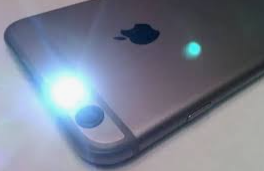
These tips will help you get the most out of your iPhone's flashlight and give you the flexibility to customise it when you need it. We hope they help!


Related Articles

Multivibrators,Astable Oscillator,Crystal Oscillator:Distinction
TVS Diode Types,Working Principle,Testing,Selection
Ryzen 9 7950X3D vs 7900X3D,7950X,7900X,5950X,5900X,3950X,3900X
Mastering GND in Circuits: Essential Guide for Safety
Electronica 2024:Munich Electronic Components Exhibition
Vess Electronics Component Distributor at ExpoElectronica 2024
Fuses Choosing Tutorial Top 10 Fuses Recommendation For 2024
How to Choose RTC Real Time Clock? Structure,Operation,Types
Step Recovery Diode: Symbol, Types, and Applications
MEMS accelerometer:Working, Application, Pros & Cons
What are the 4 Types of Filters?Distinction & Selection Tutorial